MystaJoneS

If you're not making mistakes, then you're not doing anything.

  • show ip flow interface

    displays the NetFlow configuration for an interface

    show ip cache flow

    Verify that Netflow is operational and display summary of NetFlow statistics.

    show ip cache verbose flow

    Used to verify that NetFlow is operational and to display the detailed summary of NetFlow statistics.

    show ip flow export

    Use this command to display statistics for the NetFlow data export, including statistics for the main cache and for all other enabled caches.

    show ip flow export template

    This command is used to display statistics for the NetFlow data export (such as the template time-out rate and the refresh rate) for template-specific configurations.

    NetFlow Configuration Guide

    + , , , ,
  •   

    +
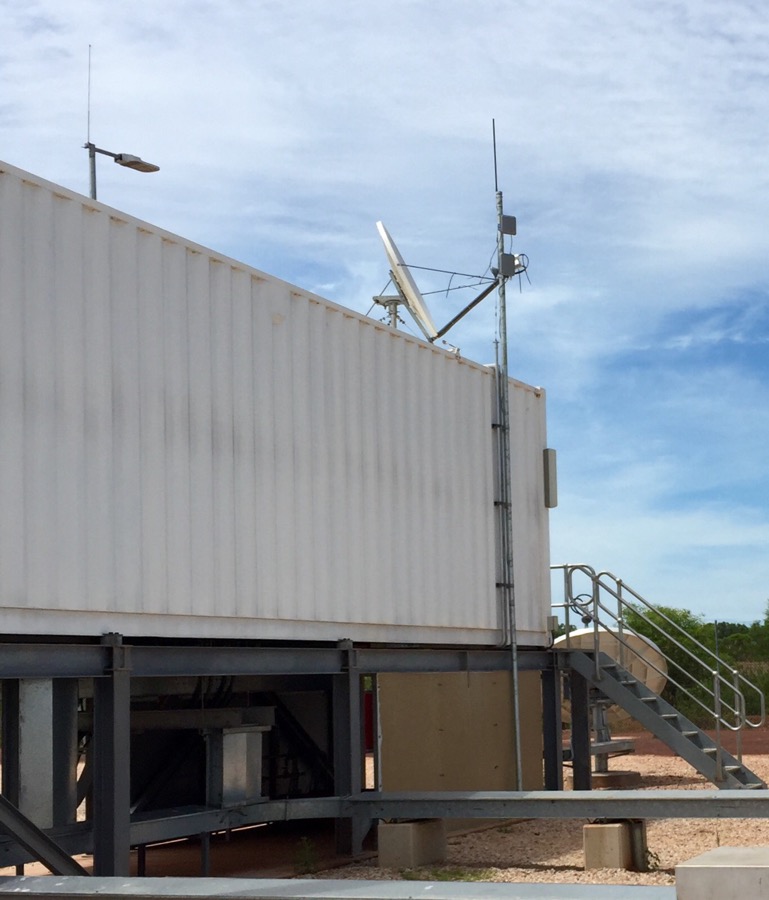
  • Reverting back to a 2.4GHz design proved to be the best solution, and I was able to verify that the Cisco-1532E AP’s suffer with a bug, in that when you enable sntp, after the device has been primed for use with 5GHz, it reverts back to it’s -UX domain. 😬

    The outcome was great as 2.4 managed to overcome the dense foliage in the Northern Kimberley town. The link between the Power Station and two point of sale locations, all good!

    Typically I wouldn’t use 2.4 due to the mass adoption in built up areas but this is remote outback Australia.

    The  Power Station IMG_6387-0Trees in Path  Far End  Job done!

    + ,
  • It’s about time I got back to my other passion, being cycling and my only sanity at the moment, and with the new fixed-wheel waiting for a revamp, I’ve added this link as I’ll be doing a Spray Job.

    + ,
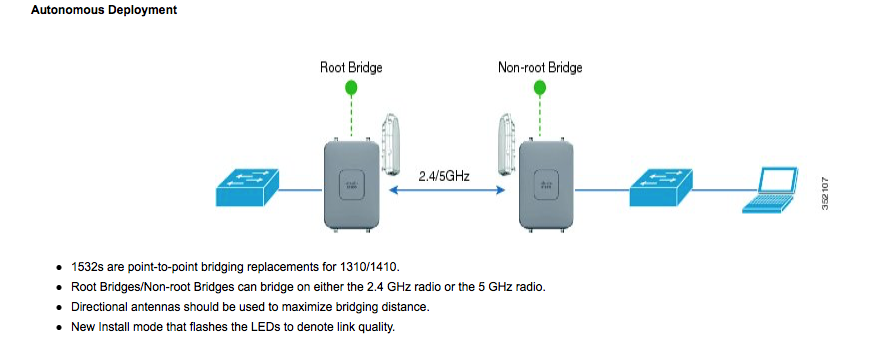
  • OK, I’ve just been told by Cisco TAC that the AP’s we purchased don’t do 2.4Ghz bridge – really ????

    Screen Shot 2015-11-06 at 17.12.45

    Doco says otherwise, keen to close the call i’d say. FFS

    + ,
  • Thank you for the continual attempts to try and access my system at home, it’s been very annoying.  Oh, and btw it took me a mere 5 mins to access yours (with the intent on finding out who you are to advise that your systems have been accessed, of course) and i should probably brush up on my South American some….

    Screen Shot 2015-11-05 at 2.07.28 PM

    and another one……

    Screen Shot 2015-11-05 at 6.57.20 PM

    +
  • OK, so what’s the difference between 2.4 GHz and 5GHz wireless?

    2.4GHz frequency is able to reach farther than the 5GHz because the waves attenuate much faster and at higher frequencies.  So if you are more concerned with the coverage, select 2.4GHz rather than 5GHz.

    The second difference is the number of devices on the frequencies. 2.4GHz suffers more interference than 5GHz.
    1. The older 11g standard only uses the 2.4GHz frequency, majority of the world is on it. 2.4 GHz has fewer channel options with only three of them non-overlapping, while 5GHz has 23 non-overlapping channels.
    2. A lot of other devices are also on the 2.4 GHz frequencies, the biggest offenders are microwaves and cordless phones. These devices add noise to the medium that can further decrease the speed of wireless networks.
    In both aspects, choosing to deploy on the 5GHz frequency is the much better option as you have more channels to use to isolate yourself from other networks and there are far fewer interference sources.
    But the radar and military frequency is also 5GHz, so 5GHz wireless may also have some interference, and many countries require that wireless devices working on 5GHz should support DFS (Dynamic Frequency Selection) and TPC (Transmitting Power Control).
     2.4&5ghz
    Summary:
    1. 5GHz has a shorter range compared with 2.4GHz;
    2. The 2.4GHz frequency is way more crowded than 5GHz, devices on 2.4GHz suffer much more interference than the ones on 5GHz;
    3. Fewer devices are capable of using the 5GHz channel than the 2.4GHz channel.

    If there is too much interference around and your clients support 5GHz, it’s recommended to use 5GHz wireless network, otherwise you’d better select 2.4GHz.

    +
  • Configuration Guide to Aironet AP’s; and

    Lightweight AP (LAP) Registration to a Wireless LAN Controller (WLC)

    Getting Started Guide Cisco Aironet 1530 Outdoor Access Points

    Cisco Aironet Universal AP Priming and Cisco AirProvision User Guide

    Scope, Objectives and Expectations

    + , ,
  • One simple management ip entry is all that’s requried before you take a first glimpse at this NetScaler…..noice:)

    First Page

    nsroot/nsroot

    set ns config -ipaddress<IPAddress> -netmask<subnetMask>

    add ns ip<IPAddress> <subnetMask> -type<type>

    add route<network> <netmask> <gateway>

    set system user <userName> -password

    save ns config

    reboot

    …and happy days. Lets configure….

    + ,
  • A while in the making but really happy with it so far! Some lighting and other minor bits and we’re done! Good work Smithy 👍🏼


    +